SSO ID Login Rajasthan Portal: Complete Guide & Step-by-Step
Table of Contents
The Rajasthan Single Sign-On (SSO) portal allows residents, business owners, and state employees to access over 100+ digital government services through a single set of login credentials. By removing the need for multiple accounts, the portal simplifies applications for scholarships, recruitment, bills, and business licenses.
How to Perform Rajasthan SSO ID Login Step-by-Step
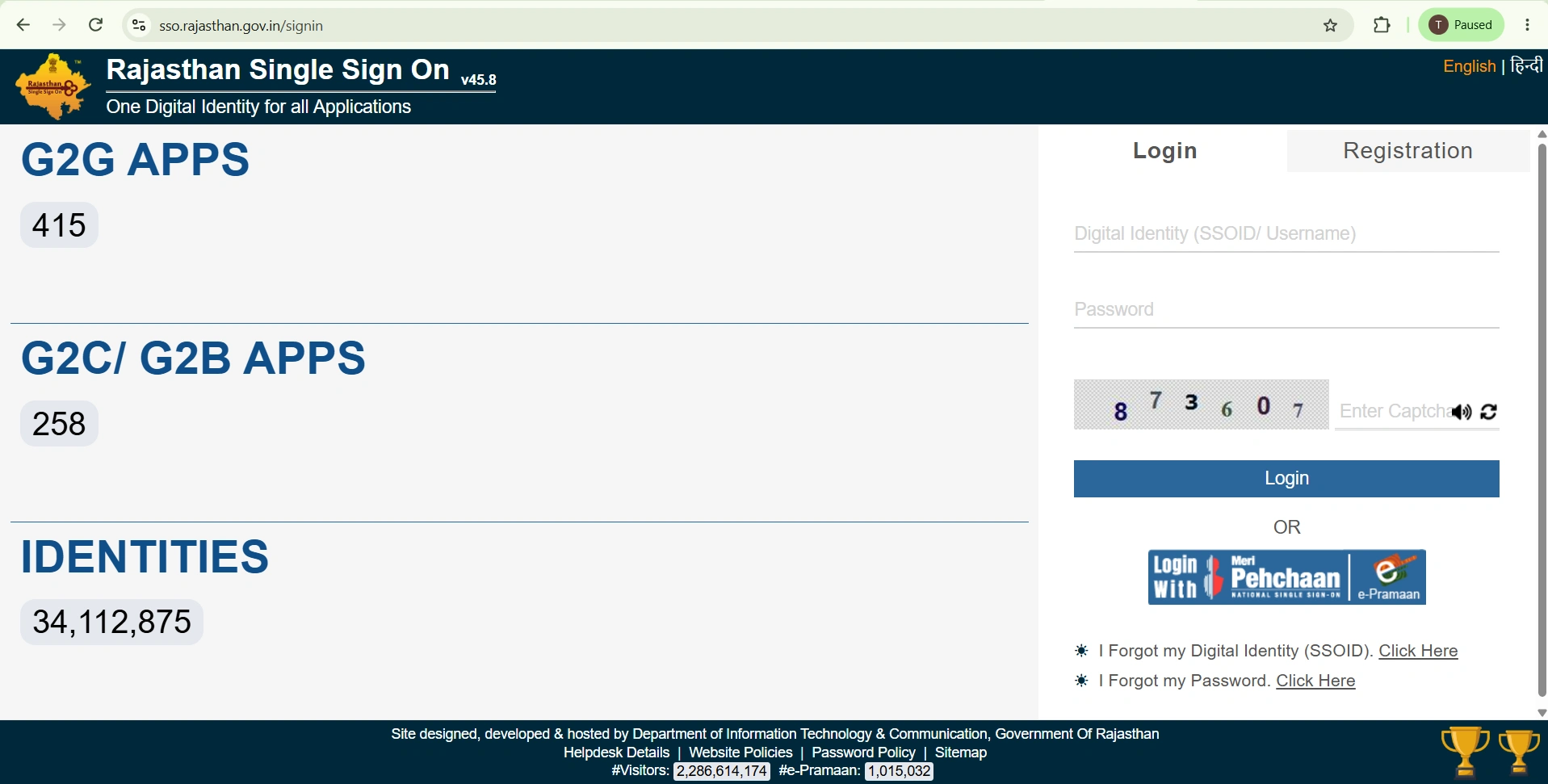
Logging into the official Rajasthan SSO portal takes only a few simple steps. Follow the guide below to access your account dashboard quickly:
- Visit the Portal: Open your web browser and navigate to
sso.rajasthan.gov.in. - Choose User Category: Select your appropriate access level—Citizen, Udhyog, or Govt Employee.
- Enter Digital Credentials: Type in your registered SSO ID (Username) and Password.
- Complete Security Captcha: Fill in the 6-digit captcha numbers displayed on the screen.
- Access Dashboard: Click the Login button to go to your central service dashboard.
Types of SSO Portal Logins Explained
The SSO portal categorizes users into three distinct sectors to deliver relevant applications and administrative features:
1. Citizen Login (G2C)
Designed for residents of Rajasthan to access public welfare services, utility bill payments, recruitment applications (RSMSSB/RPSC), and scholarship applications using Jan Aadhaar, Aadhaar, or Google accounts.
2. Udhyog Login (B2C)
Tailored for business owners and enterprise managers. Users can log in using their Business Registration Number (BRN) to manage industrial setup permissions, trade licenses, and tax compliance tools.
3. Government Employee Login (G2G)
Reserved strictly for active government personnel to access internal administration, RajERP, official document processing, and departmental file tracking using their designated SIPF login IDs.
SSO Login User Matrix
| User Category | Primary Authentication Method | Key Accessible Services |
|---|---|---|
| Citizen (G2C) | Jan Aadhaar, Aadhaar ID, Google Account | e-Mitra Services, Exam Applications, Bill Payments |
| Udhyog (B2C) | BRN (Business Registration Number) | Business Licenses, Clearances, GST Tools |
| Govt Employee (G2G) | SIPF Employee ID & Password | RajERP, Departmental Portals, Leave Management |
How to Resolve Common SSO ID Login Issues
If you encounter issues while trying to log into the portal, try these quick fixes:
Incorrect Password or Forgotten Credentials
If you enter an incorrect password, click on the Forgot Password link below the login box. You can instantly reset your credentials using an OTP sent to your registered mobile number or email ID.
Locked Account Due to Failed Attempts
Entering the wrong login details multiple times will temporarily lock your account for security purposes. Wait 30 minutes before trying again, or reset your password to unlock the account immediately.
Captcha Error & Page Timeout
If the captcha keeps showing as invalid, refresh the captcha image, clear your browser cookies/cache, and retry. Ensure you do not leave the login screen idle for too long to avoid session timeouts.
Frequently Asked Questions
What is a Rajasthan SSO ID?
A Rajasthan SSO (Single Sign-On) ID is a single digital identity created by the Government of Rajasthan. It permits users to access 100+ state government schemes, portals, and online services with one username and password.
Can I access SSO ID services from my mobile phone?
Yes, you can log in through any updated mobile browser or download the official SSO Raj mobile application from the Google Play Store.